
One way to save costs with ECR is to automate the cleanup of images by using lifecycle policies.
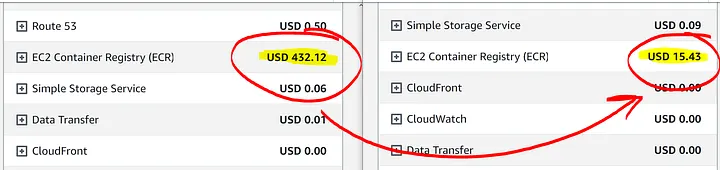
Subtitles are available in English, French and Spanish. Click here to get the full masterclass.
Amazon ECR lifecycle policies provide more control over the lifecycle management of images in a private repository. A lifecycle policy contains one or more rules, and each rule defines an action for Amazon ECR. Based on the expiration criteria in the lifecycle policy, images can be archived (30% Savings over 150 TB / month - 90 days minimum period) or expired (100% Savings) based on the criteria specified in the lifecycle policy within 24 hours.
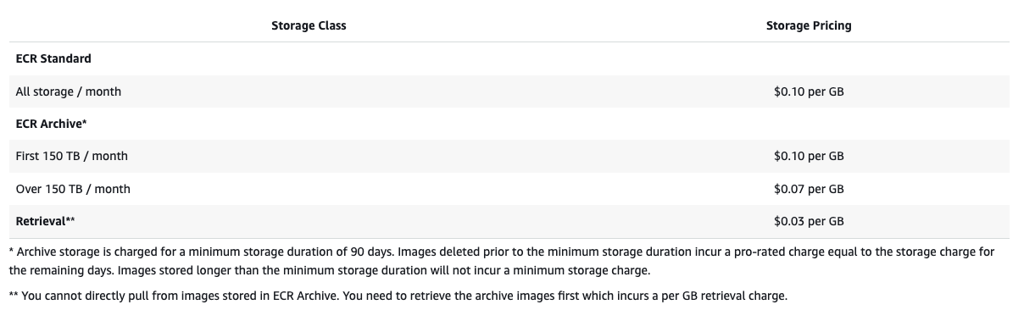
How lifecycle policies work
The following diagram shows the lifecycle policy workflow.

Create one or more test rules.
Save the test rules and run the preview.
The lifecycle policy evaluator goes through all of the rules and marks the images that each rule affects.
The lifecycle policy evaluator then applies the rules, based on rule priority, and displays which images in the repository are set to be expired or archived. A lower rule priority number means higher priority. For example, a rule with priority 1 takes precedence over a rule with priority 2.
Review the results of the test, ensuring that the images that are marked to be expired or archived are what you intended.
Apply the test rules as the lifecycle policy for the repository.
Once the lifecycle policy is created, you should expect that images are expired or archived within 24 hours after they meet the expiration criteria.
How to identify?
From our Cost Optimizations Report , check at ECR_Storage_Classes section.
- In AWS Console, go to the ECR service, then click on one ECR. Click on Lifecycle policy tab to check your existing rules and events
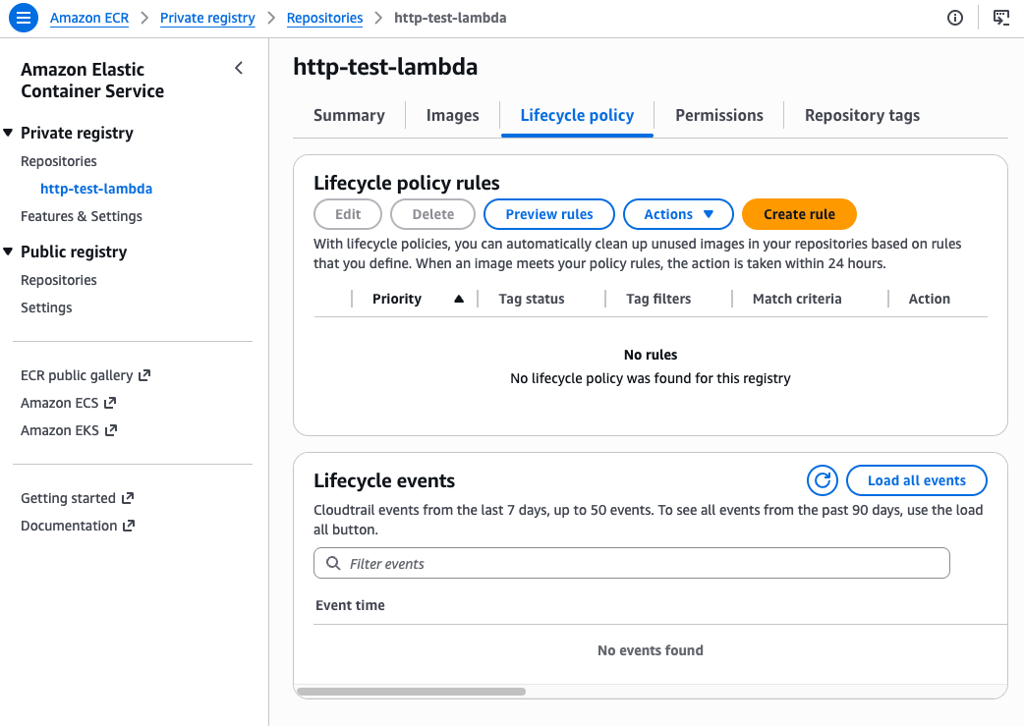
How to fix?
In AWS Console, go to the ECR service, then click on one ECR. Click on Lifecycle policy tab to create rule
- See Examples of lifecycle policies in Amazon ECR - Amazon ECR
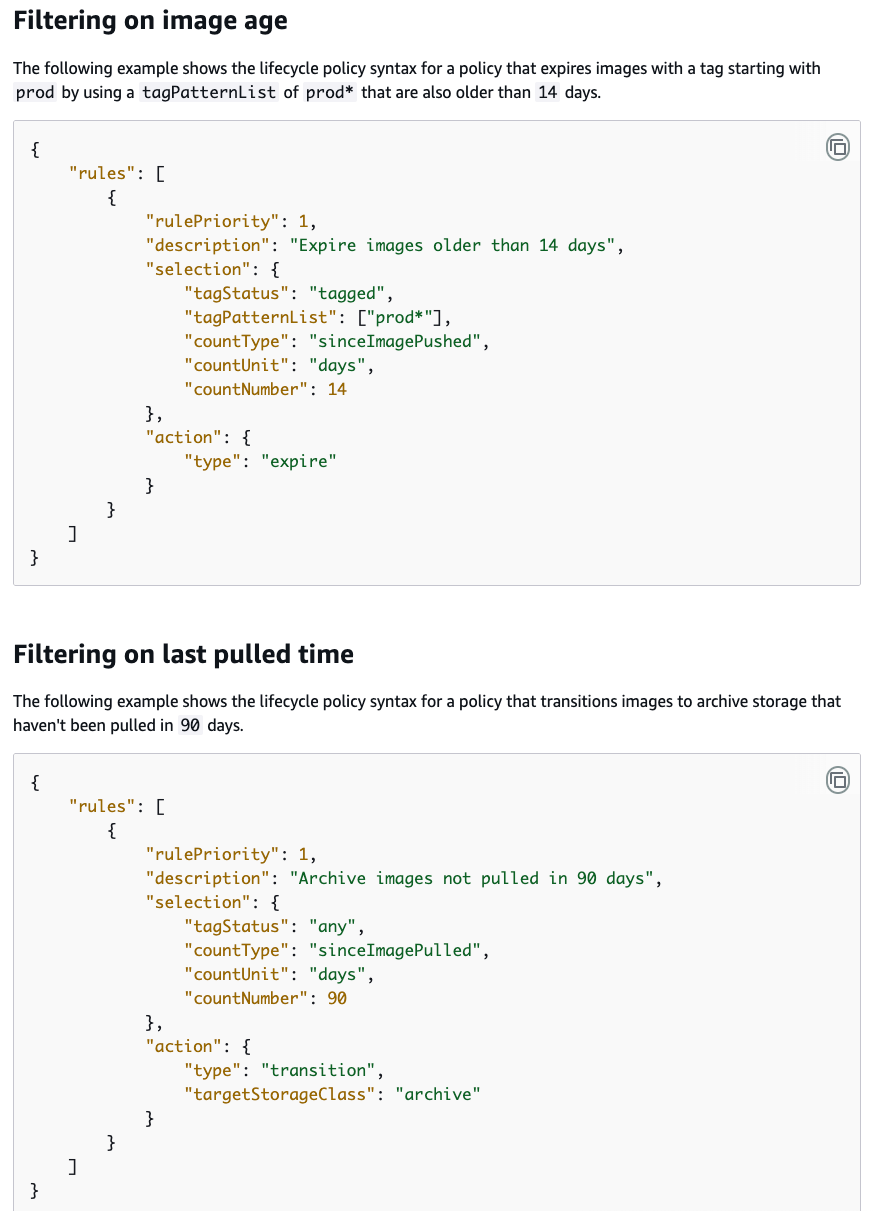
If the resource is provisioned automatically via IaC (such as CloudFormation or Terraform), update the corresponding code to reflect the changes.